- Right-click on My Computer, select Properties
- Select the Hardware tab
- Click the Device Manager button
- Double-click IDE/ATAPI controllers
- Double-click on the Primary IDE Channel
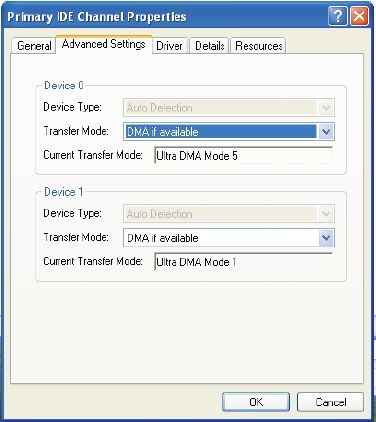
- Click on the Advanced Settings tab (as shown in figure) The tab may or may not be available for each option. It is only available in Primary and Secondary Channels.
- Set the Transfer Mode to “DMA if Available” both for Device 1 and 0
- Click OK
- Perform the same operation for other items in the list, if
applicable.
|
 |


