

XP Speed Secret #7: Disable File Indexing
Filed Under ( Hacks, Technology, Tips, Tutorial, Windows Secret ) by admin on 06-01-2009
Tagged Under : secret, speed, Windows, XP
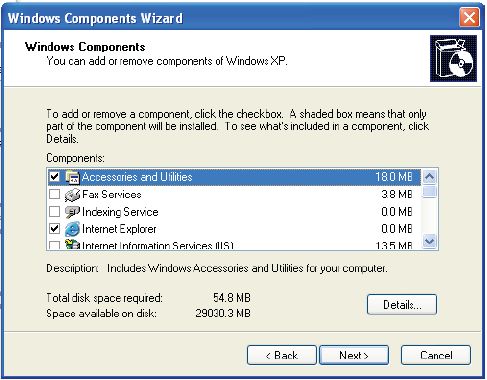
Indexing Services is a small little program that uses large amounts of memory and can often make a computer endlessly loud and noisy. This system process indexes and updates lists of all the files that are on your computer. It does this so that when you do a search for something on your computer, it will search faster by scanning the index lists. If you don’t search your computer often, this system service is completely unnecessary. To disable do the following:
|
 |
Related posts:
