

Vista Speed Secret #1: Turn-Off User Account Control (UAC)
Filed Under ( Hacks, Technology, Tips, Tutorial, Windows Secret ) by admin on 07-01-2009
Tagged Under : secret, speed, Vista, Windows
Now, there’s a lot of talk about the new User Account Control policy in Vista, and all I can say is that it annoys the heck out of 99% of users and slows down normal computer usage. To turn it off, the easiest way is to:
|
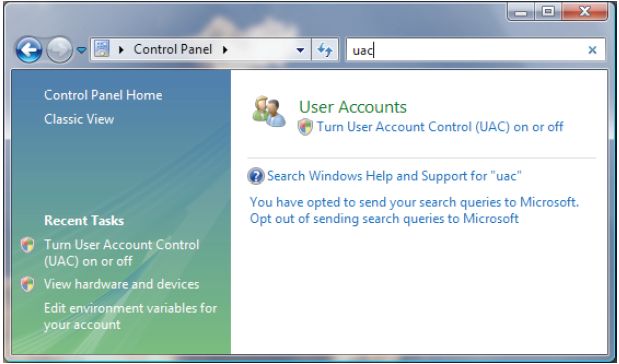 |
Much better, eh? You might say ‘but what’s that got to do with speed?’ It prompts you at least a couple times an hour and then takes several seconds to figure itself out. Without these annoying prompts, your productivity goes up, so therefore it’s a speed enhancer.
Related posts:
