

Vista Speed Secret #10: Shutdown Remote Differential Compression
Filed Under ( Technology, Tips, Tutorial, Windows Secret ) by admin on 06-02-2009
Tagged Under : secret, Vista, Windows
Remote Differential Compression checks the changes of your files over a network to move them with as little bandwidth as possible instead of transferring an entire file that has previously been moved. Obiviously, the average home PC user has NO need for this service. With it constantly checking for file changes, this service will greatly slow system performance.
To shut down this service:
- Click the Start button
- Select Control Panel
- Click Classic View on the left side of the window
- Double-click on Programs and Features
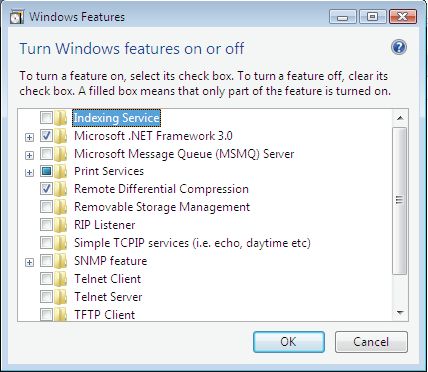
- Click Turn Windows Features On And Off on the left side of
the window - Uncheck Remote Differential Compression
- Click OK
Related posts:
