

Windows Vista Tips: Reliability and Performance Monitor
Filed Under ( Hacks, Technology, Tips, Tutorial, Windows Secret ) by admin on 16-02-2009
Tagged Under : Tips, Vista, Windows
Windows Vista contains an advanced reporting tool called the “Reliability and Performance Monitor”, which allows you to check your system for any performance and reliability problems from the system logs and real-time monitoring.
Tips, advice and technical details of many problems that could be effecting your system are all generated within 60 seconds. It is surprisingly useful, even for advanced users.
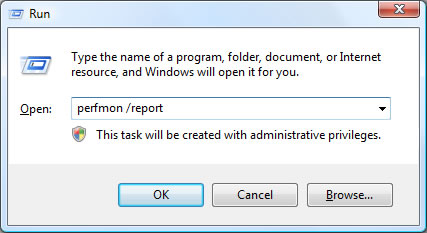
To start the application, load “perfmon /report” from the run box (Press WINDOWS KEY + R to load this):
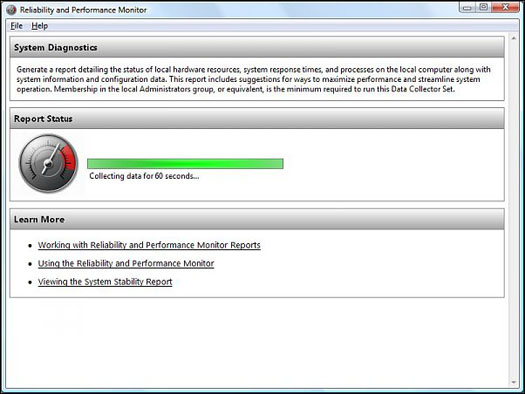
The Reliability and Performance Monitor will then spend 60 seconds analysing your computer:
Once the testing is complete, the tool provides a list of all of the problems and relevant notices about your PC. It is worth reading through the list to see if there are any serious problems that you should rectify. An example report is shown below:
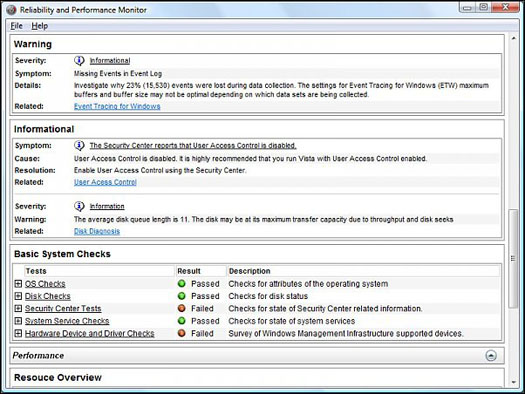
Most advanced users will be able to track down the problems and improve the overall performance and/or reliability of the operating system.
Related posts:
