

Windows Vista Tips: Lock Vista from Shortcut Icon
Filed Under ( Hacks, Technology, Tips, Tutorial, Windows Secret ) by admin on 26-03-2009
Tagged Under : Fix, Tips, Vista, Windows
Locking Windows Vista is a good way to secure your PC when you leave your computer for a while (especially in an office environment). Normally you can lock Vista by clicking on the padlock icon on the start menu or by pressing WINDOWS KEY + L. However, you can easily add an icon to the desktop to perform this same task.
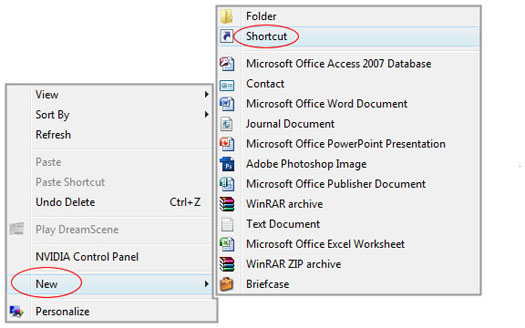
First, right click on the desktop and select New then Shortcut:
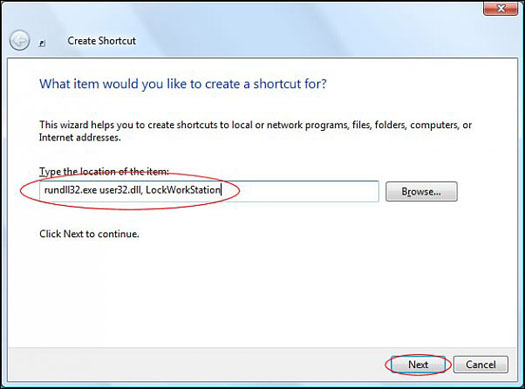
Now, enter “rundll32.exe user32.dll, LockWorkStation” into the text box then click Next:
You can then enter a title for the icon and click Finish:
Your icon will now be placed on the desktop, and double clicking it will lock your PC:
Related posts:
