

Windows Vista Tips: Vista Password Expired
Filed Under ( Hacks, Technology, Tips, Tutorial, Windows Secret ) by admin on 30-03-2009
Tagged Under : Hacks, Password, Tips, Vista, Windows
You may find when using some editions of Windows Vista that your password expires and you are required to change it. This problem will keep re-occurring until you change your account profile to prevent password expiration.
To do this, start lusrmgr.msc from the run box (Press WINDOWS KEY + R to access this):
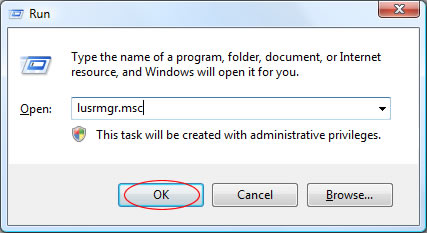
Once the Local User Manager has loaded, click Users in the left column and then double click your username in the main window:
Now, tick the Password Never Expires box followed by OK:
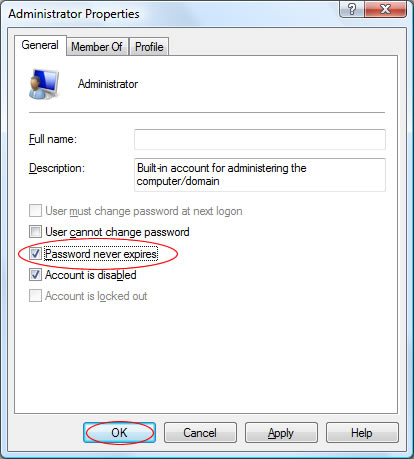
In future, you password will not expire. Allowing you to log on without needed to change your password again.
Related posts:

My friend did not login for a long time so his expired and of course he claims never to have set a password.
So no access to Windows and no password.
Anybody any clues?