

Windows Vista Tips: Clear DNS Cache
Filed Under ( Technology, Tips, Tutorial, Windows Secret ) by admin on 18-06-2009
Tagged Under : Clear, DNS, Internet, Tips, Vista, Windows
Some Internet browsing problems can be caused by invalid DNS cache entries stored on your PC. This normally speeds up accessing websites, as it knows the previous location of the web server. If you get DNS or 404 errors when browsing a particular website, it might be worth trying this tip and restarting your browser.
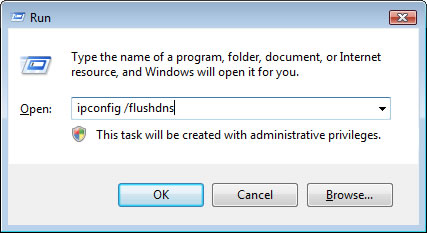
First, start the run box (You can do this by pressing WINDOWS KEY + R) and then type in the following and click OK:
ipconfig /flushdns
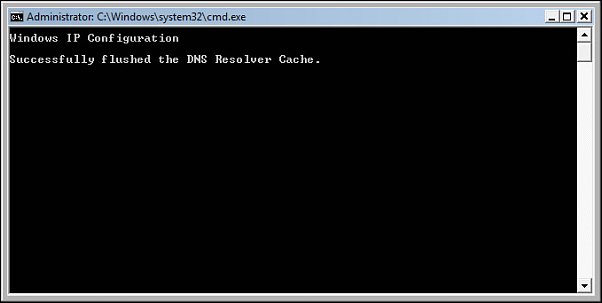
This will briefly flash a DOS box up, confirming that the DNS cache has been flushed:
You can now restart your web browser and re-try accessing any troublesome websites.
Related posts:
