

1.2 Joomla Database Preparation
Filed Under ( Joomla, MySQL, PHP, Programming, Technology, Tutorial ) by admin on 10-09-2009
Tagged Under : database, Joomla, MySQL, PHP, Programming, server
Before doing the Joomla! installation, you have to prepare the database that will be used during the installation. Here are the steps:
1. Open your browser. Then type http://localhost/phpmyadmin address. You will get the appearance as in the picture 1.14.
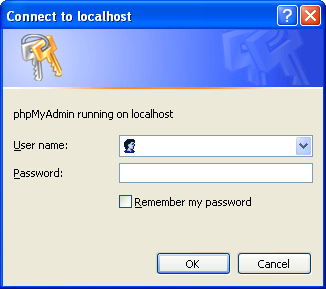
Picture 1.14 Login form before enter the database manager
2. Fill user name and password as you already set in the time of the AppServer installation. Then click the OK button.
3. In the phpMyAdmin front page, enter the database name that you want for Joomla! For example, joomla. Look at the picture 1.15.
Picture 1.15 Make new database named joomla
4. Click the Create button to execute the making of the new database so called joomla.
If you get the appearance as in the picture 1.16 means that the new database is succeeded in made and get ready to use to receive the data from Joomla! Next, we will install the Joomla!
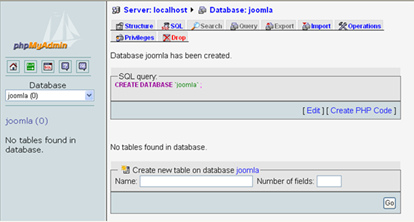
Picture 1.16 New database named joomla has been created
Related posts:

[...] 1 Joomla! Instalation 1.1 Apache, MySQL, and PHP Package Installation 1.2 Joomla Database Preparation 1.3 Joomla! [...]